Image Gamma Adjustment
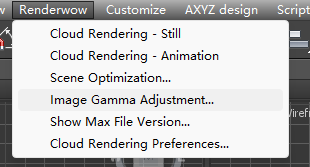
Click Renderwow menu → Image Gamma Adjust to open the tool window.
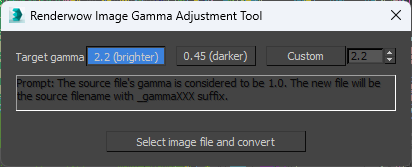
This tool can correct image files with incorrect Gamma values (e.g., JPG files) to the proper Gamma value. This tool assumes the original image file has a Gamma value of 1.0. During conversion, it reads the image file at Gamma 1.0 and re-saves it at Gamma 2.2. The saved new file name will have a _gammaXXX suffix appended to the original input file name. This feature is only available in 3ds Max 2014 and later versions.
Target Gamma — Options include 2.2 (brighter), 0.45 (darker), and Custom. When Custom is selected, you can enter your desired Gamma value.
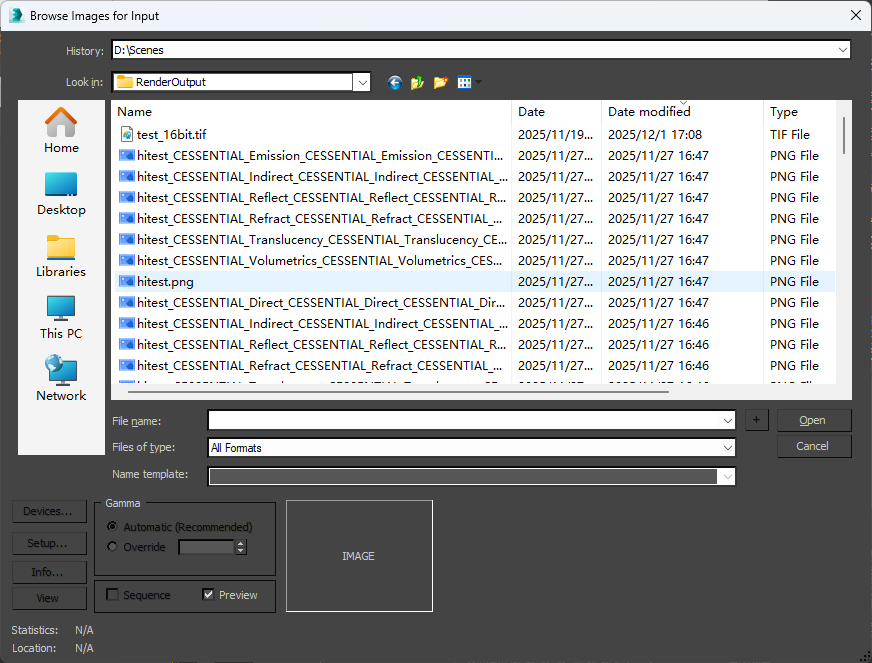
Select Image File and Convert — After selecting the Target Gamma, click this button; an image file selection dialog will appear. Select the desired image file and click Open. Then, check the converted image file in the same directory as the original image file.